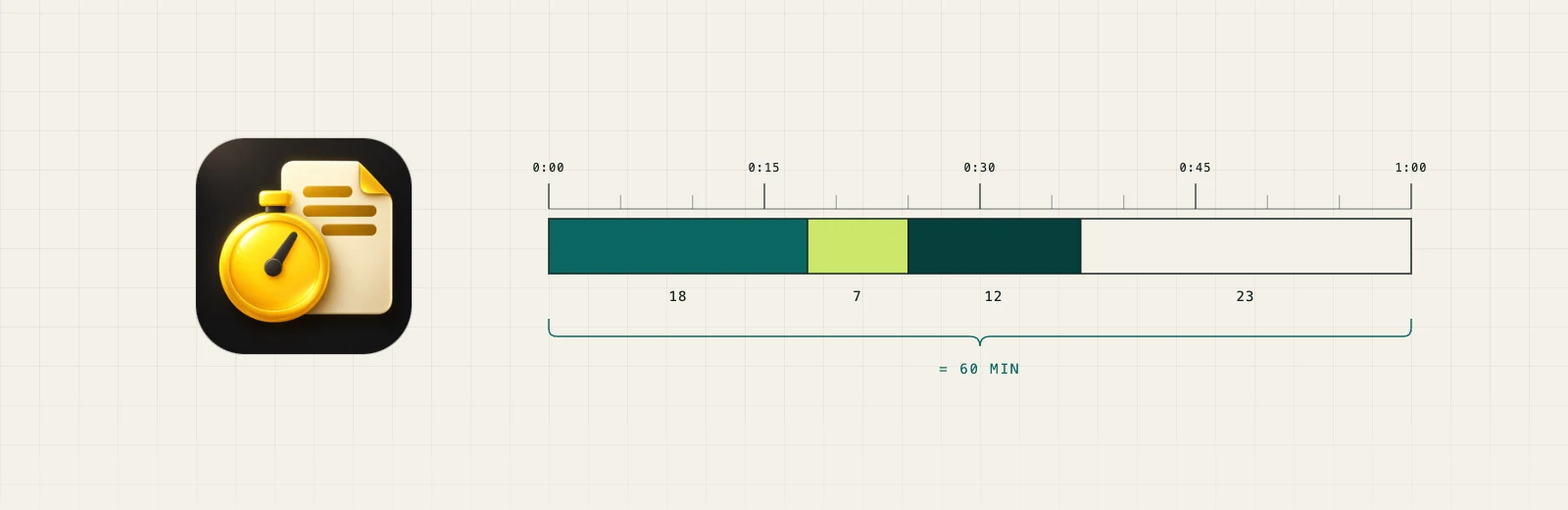
The Scope app icon beside one hour cut into slices of 18, 7, 12 and 23 minutes that sum to 60.

Case study · Scope

An hour can only be spent once.

Scope is a native macOS and iOS application for project control, time tracking and invoicing, built for my own practice. The Mac and iPhone apps share code and a data model, they run on one clock rule, and it refuses to let the same hour be billed twice. That refusal is the reason it exists.

What it is

Project control that has to survive being on two devices.

Swift and SwiftUI. A menu bar timer on the Mac, home screen and Lock Screen widgets, a Control Centre control, Siri and Shortcuts intents, and a Live Activity on the phone. It tracks time against projects and turns that time into invoices.

None of that list is the interesting part. Time trackers are a solved category and I did not build one because the market was short. I built it because every one I have used will happily let me record more hours in a day than the day contains, and because the record of what I actually spent on a client was the one operating number in my own practice that I could not answer.

The rule the app enforces

Wall clock can only be spent once.

Most time trackers let you run concurrent timers. Two projects, two clocks, both running through the same afternoon. Two hours of your life become four billable hours, and nothing in the software objects, because each timer is individually telling the truth.

Scope runs one clock. Time worked across several projects is divided between them, and it cannot add up to more than the time that passed. You can divide an afternoon honestly in any proportion you like. You cannot end up with more of it than there was.

This is a constraint on me, and it is the whole point. A system that permits an error politely is a system that will eventually produce it, and the person harmed by double billing is a client who trusts an invoice they cannot audit. It is asserted in tests rather than intended in a design note.

The standard this comes from

Two devices, one data model

The sync that reported success while doing nothing.

Giving a Mac and a phone one data model and one cloud configuration is the part of this that was genuinely new to me. It is also where the build went wrong in the most instructive way.

Sync was reported working, and it had never worked once. The evidence for it looked right and was not. The two devices could never have seen each other, and nothing on screen said so.

Worse than the failure was the silence. The app kept working perfectly, so nothing on screen was wrong, and the settings panel could not have told me otherwise.

What settled it was counting records, not reading logs. A brand new empty store came up holding far more data than a fresh install should, which proved that data had travelled. A log line saying an export finished is compatible with exporting nothing.

Settings now reports the live state of sync and says what to do about it.

Designing for the merge

The design assumes the merge will go wrong.

Two devices that are offline can disagree with each other. Scope is built so that invoice numbers stay unique anyway.

The same problem touches the thing the whole app rests on, which is that at most one session runs at a time. Scope is built so that two devices that were offline cannot leave you with two clocks running.

An earlier version of that handling deleted real hours. Time that had been recorded disappeared without ever becoming a line anyone could question. It was fixed, and tests now guard against it.

A crash, a reboot or a flat battery cannot corrupt the hours Scope has recorded.

The one that cost real data

A migration that moved files, and a log that said it worked.

Moving the store between container locations originally moved the files rather than copying them. A partial failure left the database incomplete, and 16 projects and 121 time entries read as zero. That was my own real data. It was recovered by hand.

The migration was rebuilt so that nothing is removed until the copy is confirmed good.

The worse fault was the logging. The code reported that it had moved the store unconditionally, while two of three files had failed. A success message that cannot report failure is not reporting anything. Every silently swallowed error in the codebase was swept afterwards, which found two more of the same shape.

I include this because a systems page that only lists what worked is a brochure. This one cost me a day’s records and the fix was not the interesting part. The interesting part is that nothing told me.

The verification standard

A check that has never failed is not known to work.

869 Mac tests passing as of 8 October 2026 (879 in total, 10 skipped), and a verification script that ends in a control: before a pass is believed, it plants a defect and requires the detector to catch it. A green result that cannot be made red is not a result.

That standard found a real defect in the app’s own design system. Contrast was computed rather than looked at, and prominent button labels turned out to be resolved against a hardcoded dark appearance while their fill followed the live one. Three registers measured about 3.5:1 in light mode. One measured 1.02:1, which is a label almost exactly the colour of the button it sits on.

Nobody would have found that by looking, because at 1.02:1 there is nothing to look at. It was fixed and then pinned with a control that replays the shipping values and requires each of them to be rejected, so the defect cannot return quietly.

Worth saying plainly: this site was measured by the same method on the same day, and it also had a link at 1.02:1 against its ground. Two codebases, one standard, the same defect class in both. Neither was visible to a structural checker. Both needed a computed ratio.

What is different about this one

The first thing I have built that has to be right in two places at once.

01 · Two platforms, not one

The two Mac applications before it are macOS only. This was the first with an iPhone in the loop, which means state that is meant to reconcile across devices rather than live in one place, and a whole class of failure that does not exist in a single-device app.

02 · Correctness as the feature

The distinguishing behaviour is a refusal. Not a capability the others lack, but an arithmetic guarantee about billing that the category generally declines to make.

03 · The method arrived first

The 2024 feasibility pipeline was built by someone learning to code inside a deadline. This was built with a verification standard already in hand, which is why the tests and the control step exist from the start rather than after something broke. The difference from every prior project here is that I was not the one typing. I set the scope, ruled on the decisions and reviewed what came back. The system I built did the construction. At one point I went to bed and came back nine hours later to a more finished product than I had left.

04 · I directed it. The system did the building.

First commit at 18:13 on 25 August. 4 hours and 24 minutes later there was a notarised build. Apple refused the submission before it, over a hardened runtime setting on a nested extension, and the corrected build was accepted two minutes and six seconds after that refusal. Seventeen more accepted submissions followed across the next twenty-five hours, averaging one every 88 minutes, each carrying features added or refined rather than retrying the last.

Where this practice started

Mapped to the method

The same four steps, applied to my own operation.

The method

  1. Source of truth. One data model and one clock, shared by both apps.
  2. Structured operating data. Time recorded so that one stretch of the day is only ever counted once.
  3. Workflows and controls. Guards against double billing and against billing that never charges, on every path rather than the one the interface happens to use.
  4. Tested and handed off. 869 Mac tests passing, a verification script that proves its own detector, and a signed, notarised install.

What is not claimed

Where this stops.

No hands-on hours figure is given, and the reason is the interesting part. I have a method that infers working sessions from commit timestamps, and it is good to about 25 percent on my other projects. It reports the wrong thing here, because on this one I was not the one typing. I set the scope, ruled on the decisions and reviewed what came back, across about thirty hours. The system I built did the construction, including a nine hour stretch while I slept. Hours at a keyboard stops being the unit when that is how the work is done, so I am publishing what is simply true instead: 4 hours 24 minutes from first commit to the first build Apple accepted, 18 accepted notarisations in all across the twenty-five hours that followed, 87 commits, and 497 tests at that point (the figure then, not now).

Not distributed. Scope is built for my own practice and is installed on my own machine. It is not for sale and there is no download.

The exact figures are exact, and the notarisation ones come from Apple rather than from me. The original record, fixed at that window: 497 tests and 87 commits by the end of those thirty hours, and 18 accepted notarisations, the first 4 hours 24 minutes after the first commit. Those are the build figures and they are fixed at that window. The project did not stop there: by 3 September 2026 the repository had reached 138 commits, up from 120 six days earlier. The suite has grown alongside it: on 8 October 2026 the Mac suite read 869 passing, from 879 in total with 10 skipped. That total moves; the thirty-hour figures above do not, which is why they are stated separately. Current status: the iPhone and Mac app, version 1.0 (6), is in internal TestFlight beta and has not been publicly released. There were 19 submissions; one was refused on a build setting and corrected inside two minutes, which is stated because omitting it would make the run look cleaner than it was. Gatekeeper reports the installed build as an accepted notarised Developer ID source with its ticket stapled. Sync between the devices was checked by counting what arrived on a fresh install.

What is not shown is that a write originating on the phone arrived on the Mac. That is a narrower claim and it cannot be made about this data, now or later: the data does not record which device wrote it, and the sync framework does not expose that either. So the attribution is not missing from my notes, it is unrecoverable. The count showed far more than a fresh install holds, and that is the whole of what a count can tell anyone.

Also not claimed, and worth naming rather than omitting. Optional AI help with invoice wording exists, and nothing it suggests is used until accepted. It has never produced a real invoice line. There are no performance figures against a real store. A dense sample invoice runs to two pages. The iOS app is not notarised, because iOS applications are not.

No client appears anywhere in this. Sample data in the application is invented.
Contact

Bring the number your operation cannot currently answer.

jwatson@thinksynergy.biz